What You Should Know Before Upgrading to iOS 10
iOS 10 stands out as one of the biggest software updates this year, right alongside Android Nougat. Since the iPhone is used by hundreds of millions of people worldwide, new updates tend to spread much faster compared to Android. The reason is fairly simple. Apple controls both the hardware and software, so whenever a new update launches, it becomes available to every supported iPhone model at once, no matter where you are. That’s why Apple’s adoption numbers can reach the millions within just a few days or weeks. Google, on the other hand, usually takes a lot longer to hit similar numbers with Android updates.
Because adoption happens so fast, early adopters sometimes end up regretting jumping in too soon, while more cautious users wait around to hear how it’s going before upgrading themselves.
iOS 10 brings a genuinely solid set of new features, capabilities, and design changes. If you still haven’t upgraded and that update notification keeps popping up, this rundown is for you.
There’s plenty to cover in this release, but let’s walk through a few of the most important things worth knowing before you make the jump.
The New Lock Screen
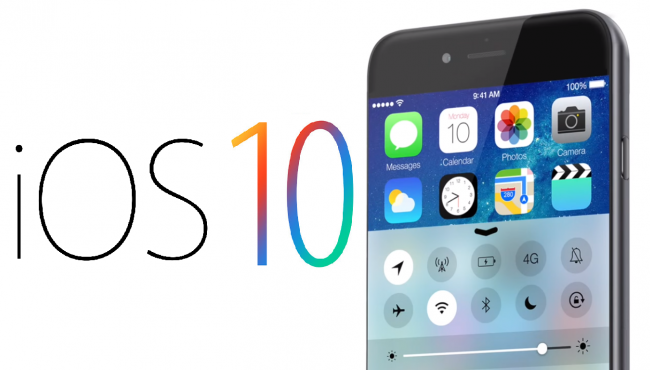
The lock screen is probably the first thing you’ll notice after updating. It now displays information like weather, news stories, frequent contacts, and upcoming events, all of which can be customized, along with a handful of new widgets offering fresh functionality. None of this existed in previous updates. Just be careful not to leave anything sensitive visible here, since this information can be read without even entering your passcode. The classic swipe to unlock gesture is also gone, so it might take a bit of time to adjust to the new way of unlocking your phone.
Music Feels Like a Step Backward
The Music app saw one of the biggest overhauls in iOS 10. The new design looks different, sure, but it feels more like trading old frustrations for new ones. For example, song length used to be visible right on the library screen, and for some reason, Apple removed that. Don’t expect major functional improvements either. What you will notice is a lot more advertising throughout the app.
Maps Got a Real Upgrade
Maps saw a genuinely solid improvement in iOS 10. The interface looks cleaner, and overall usability has gotten better too. Search feels more helpful than before, and there’s a handy new feature that can tell when you were driving and where you parked, which can save you from wandering a parking lot later. Apple Maps still isn’t quite on par with Google Maps in terms of features and overall experience, but the steady improvements Apple keeps making are a promising sign. That said, Google Maps still has its own issues too, particularly around rerouting, where it sometimes throws in unnecessary turns that end up messing with your route entirely.
Battery Life Concerns
Since this update rolled out, plenty of users have reported battery draining faster than usual, which is understandably frustrating. It could be tied to background processes running more than they should, or the software might just need further optimization. Apple hasn’t commented on this yet, but if battery life was already a struggle for you, this update probably won’t help.
Stronger Security
iOS 10 also brings noticeably improved security. Apple has always taken user data protection seriously, and this update reflects that ongoing effort. Honestly, it would be great to see Apple bring that same level of focus to some of the other areas mentioned above. Still, this security upgrade alone might be the best reason to consider updating your phone.